


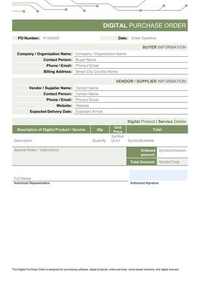

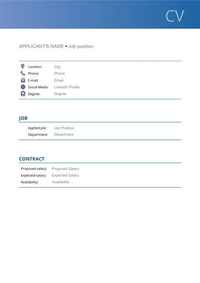
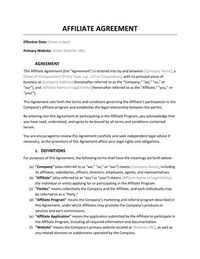

PDF OCR Tool

Size up to 100 MB

By uploading a file, you agree to our Terms of Use and acknowledge our Privacy Policy.

PDF OCR Tool

By uploading a file, you agree to our Terms of Use and acknowledge our Privacy Policy.
Drag & drop
Drag & drop your file
or

Size up to 100 MB

How to OCR a PDF

edit
1
To continue using TheBestPDF, choose one of our subscription plans.
2
Upload your scanned PDF, JPG, or PNG — drag it onto the page or browse to find the file.
3
Our OCR tool analyzes the image and recognizes text, producing a searchable PDF with a full text layer.
4
Download your searchable PDF, or find it saved in your account for later use.

What you can do with PDF OCR

Whether you need to extract text from PDF scans, edit a scanned document, or digitize old documents, our OCR tool gives you a file you can actually work with.

Make scanned PDF searchable. Make PDFs searchable so you can search, highlight, and navigate any scanned page.

Archiving records. Digitize old documents so they are indexed, findable, and no longer locked in image form.

Why use our PDF OCR tool

feature True text layer

True text layer

OCR embeds searchable text directly into the PDF rather than returning a plain text export.
feature Multi-page support

Multi-page support

OCR runs across every page of a multi-page PDF in a single pass, not page by page.
feature Image-only PDF support

Image-only PDF support

Handles image-only PDFs that contain no text data — the most common output from flatbed scanners.
feature Works with other tools

Works with other tools

After OCR, edit, merge, split, or compress your PDF without leaving your browser.

Frequently asked questions

OCR stands for optical character recognition. It is the technology that reads an image of text — such as a scanned page or a photo of a document — and converts it into real, machine-readable characters. Without OCR, a scanned PDF is just a picture: you cannot search it, select text in it, or edit it. Applying OCR adds a text layer so the file behaves like any other PDF document.

Our OCR engine recognizes text in more than 90 languages, covering Latin, Cyrillic, Arabic, Chinese, Japanese, Korean, and other scripts. When you upload a file, the tool detects the language automatically. If your document contains more than one language on the same page, OCR technology still works, though accuracy is highest when the primary language is set correctly.

Printed text is what OCR handles most reliably. Handwritten text is considerably harder for any OCR engine because letter forms vary so much between writers. Neat, consistently formed handwriting may produce usable results, but heavily stylized or cursive handwritten text will typically return lower accuracy. If your document mixes printed and handwritten sections, the printed portions will be recognized well while the handwritten text may need manual correction.

OCR accuracy depends on the quality of the original scan. A clean, high-resolution scan of a printed document will produce very accurate results — close to exact in most cases. Low-resolution scans, skewed pages, faded ink, or background noise all reduce accuracy. Running OCR on a 300 DPI or higher scan gives the best outcome. Our advanced OCR process also handles common fonts reliably, so standard business documents, invoices, and forms tend to convert cleanly.

PDF OCR refers to the process of applying optical character recognition to a PDF file, particularly one that contains only scanned images. The result is a searchable PDF — a file that looks identical to the original but now contains a hidden text layer that search engines, PDF viewers, and other software can read and index. Running PDF OCR online means there is nothing to install: upload your file, apply OCR, and download the result.

Yes. Once OCR has created a searchable PDF with a text layer, you can open that file in our PDF editor to correct, replace, or add text. This is the recommended workflow: apply OCR first to make the scanned document editable, then use the editor to make any changes you need before saving or sharing the file.

Yes. Our OCR tool also processes JPG and PNG image files. If you have an image PDF, image PDF to text conversion is straightforward: upload the file and the tool will recognize the text and return a searchable PDF. This is useful for photos taken on a phone or images exported from other software.

Yes. When you upload a multi-page PDF, the OCR process runs across every page and produces a single searchable PDF output. You can OCR scanned PDF files of any length in a single pass, so you do not need to split the file first or process pages individually. The resulting file keeps the original page order and layout, with a text layer added throughout.

Desktop PDF OCR software requires installation and is tied to one machine and one operating system. Our PDF OCR converter runs in your browser, so it works on any device without setup. You get the same core OCR technology — recognizing text across 90+ languages, handling image-only PDFs, and producing a proper searchable PDF — without managing software updates or licenses.

Our OCR tool converts the full page content into a searchable text layer rather than isolating individual fields. Once OCR has run, all the text in the document is selectable, so you can manually copy the values you need — invoice numbers, totals, dates, and so on. If you want to move those values into a spreadsheet, you can copy the recognized text and paste it into Excel; a dedicated OCR PDF to Excel workflow that automatically maps fields is a different category of tool not currently offered here.

You can cancel anytime in Account > Billing, or contact support, and we'll help.

Turn your scanned PDF into editable text

What users are saying about our online tool

Excellent

4.3 out of 5

Based on 40,229 reviews

Trustpilot

Freddie McMahon

Impressed they were able to convert PDF files containing photocopies of documents into Word documents. The UI was a little cumbersome but the results were excellent.

Joce Matthews

Wozzer

Easy to Follow - Good Price - Fast service

Esther

Easy to use and it doesn't seem to rip you off like so many other websites do.

Showing our 4 & 5 star reviews