

PDF to PPTX Converter
By uploading a file, you agree to our Terms of Use and acknowledge our Privacy Policy.

Drag & drop your file
or
Size up to 100 MB
How to convert PDF to PPTX

1
To continue using TheBestPDF, choose one of our subscription plans.
2
Upload your PDF file by dragging it onto the page or browsing to it on your device.
3
Our PDF to PPTX converter processes the document and maps each page to a PowerPoint slide.
4
Download the finished PPTX file, or find it saved in your account for later.
When to convert a PDF to PowerPoint
Whether you need to reuse a finished PDF as a starting point or update slides before a meeting, converting to PPTX gives you a fully editable PowerPoint file to work with.
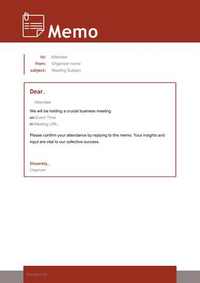
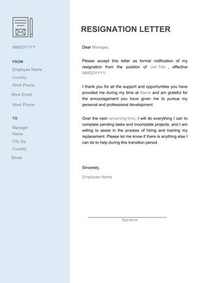
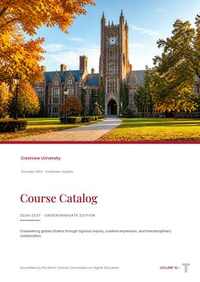
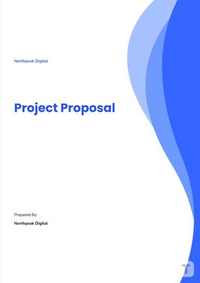
Repurpose past decks. Turn an archived PDF deck into an editable PPT so you can update figures without rebuilding.
Adapt client deliverables. Convert a PDF report into slides to reuse PDF presentation content in your next pitch.


Why use our PDF to PowerPoint converter

Page-to-slide mapping
Each page in your PDF file becomes its own PowerPoint slide, preserving the original structure.
No software to install
The entire conversion runs in your browser — no desktop app, no plugins, no setup.
Works on any file
Upload a standard PDF and get a PPTX back, whether the source was a report, a deck, or a brochure.
Private to you
Converted PowerPoint files are saved to your account so you can return to them when you need to.Frequently asked questions
Our converter preserves the layout of each page as it becomes a PowerPoint slide. Text blocks, columns, and general spacing are carried over into the PPTX, and we keep images in place alongside the text. Very complex layouts—such as tightly layered graphics—may not transfer perfectly, but straightforward presentations and reports generally retain their original layout well.
Yes. The output is a standard PPTX file, which you can open and edit in Microsoft PowerPoint or any compatible application. You can rewrite text, swap images, change colors, and add or remove slides just as you would with any other PowerPoint file. That is the main reason to convert from PDF in the first place.
PPT is the older Microsoft PowerPoint format used before Office 2007. PPTX is the current open XML format and is the default in all modern versions of PowerPoint. PPTX files are generally smaller, more compatible with other applications, and better supported across platforms. Our converter produces PPTX, which opens in any recent version of PowerPoint.
Scanned PDFs contain images of pages rather than real text, which makes direct conversion to editable slides difficult. Our PDF to PPTX converter handles text-based PDFs. If you need to extract text from a scanned document, you can run it through our OCR tool first to produce a searchable PDF, then consider your next step from there.
Upload your PDF file using our PDF to PPTX converter and the tool maps each page to a separate PowerPoint slide automatically. A ten-page PDF will produce a ten-slide PPTX. There is no need to split the file or handle pages one at a time — the whole document is processed in a single pass.
Open our PDF to PowerPoint converter in your browser, upload your PDF, and let the tool run. When conversion is complete, download the PPTX file directly to your device. The process does not require any software installation, and the finished file opens in Microsoft PowerPoint or any other PPTX-compatible application.
A PDF is a fixed-layout format designed for consistent viewing and sharing. The content is locked, so readers cannot easily change text or move elements. A PPTX is an editable PowerPoint presentation format where every slide is a separate, modifiable object. Converting PDF slides to PPT turns a static document into something you can work with inside PowerPoint.
No installation is needed. The PDF to PPT converter runs entirely in your browser, so it works on any device with a modern browser — whether that is a laptop, a desktop, or a tablet. You open the tool, upload your PDF, and download the PPTX when it is ready.
Yes. TheBestPDF supports a wide range of conversions beyond PDF to PowerPoint. You can convert Word (DOCX), Excel (XLSX), and other formats to PDF, and go the other direction too. Check the tools available in your account for the full list of supported conversion directions.
Text-heavy PDFs — such as reports, whitepapers, or meeting notes — generally convert cleanly. Each page becomes a slide, and the text is placed as editable content inside PowerPoint. Documents that are mostly running paragraphs may benefit from some reformatting once open in PowerPoint, since the original page proportions do not always map neatly to a widescreen slide layout.
You can cancel anytime in Account > Billing, or contact support, and we'll help.
Edit PDFEdit PDFSign PDFDelete PagesCrop PDFMerge PDFMerge ImagesSplit PDFCompress PDFCompress ImagesPDF OCRScan to PDFRemove WatermarkUnlock PDFEnhance Image




© TheBestPDF. All rights reserved 2024.Xafenil Limited, Archiepiskopou Makariou III, 95, Charitini Court, 1st floor, office 102, 1071 Nicosia, Cyprus.