




Online PDF Translator
By uploading a file, you agree to our Terms of Use and acknowledge our Privacy Policy.

Drag & drop your file
or
Size up to 100 MB
How to translate a PDF

1
To continue using TheBestPDF, choose one of our subscription plans.
2
Upload your PDF by dragging it into the tool or browsing for the file on your device.
3
Select your target language from the list of 80+ supported options, then run the translation.
4
Download the translated PDF document, or find it saved in your account for later.
When to use our PDF translator
Whether you need to translate PDFs to English, Spanish, or another language entirely, here are the situations where our PDF language translator earns its place.
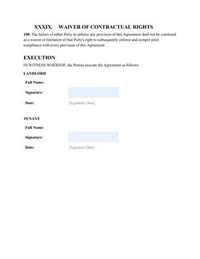
Translate contracts. Review a supplier or client agreement written in another language before you sign.
Keep original layout. Clause numbers and formatting stay in place, so nothing looks out of order.


What sets our PDF translator apart

AI-powered accuracy
Our AI translator handles technical, legal, and everyday language reliably.
No installation
Our online PDF translator runs in your browser — no installation or setup required.
Multiple formats
Translate PDF documents, or work with DOCX, PPTX, and other formats supported on TheBestPDF.
Single-file focus
Each translation job gets your full document's context, so terms stay consistent from page to page.Frequently asked questions
Our PDF language translator covers 80+ languages, including Spanish, French, German, Chinese, Japanese, Arabic, Portuguese, and English. You can translate PDF documents from one language to another in any direction the pair supports. The full language list is visible when you select your target language inside the tool.
Yes. The goal of our document translation tool is to preserve PDF layout — page structure, fonts, spacing, and column arrangement are kept as close to the source as possible. Translated text sometimes runs longer or shorter than the original, which can cause minor reflow, but the overall format carries through. This is especially useful when translating contracts or business documents where structure matters.
Yes. When you upload a scanned PDF, our tool uses OCR to read the text from the image layer before translation begins. OCR covers 90+ languages, so translate scanned PDF files in most major scripts without any extra steps on your part. The recognized text is then passed through the translator and returned as a readable, translated document.
Accuracy depends on the language pair, the subject matter, and how clearly the source text is written or scanned. AI-powered translation handles everyday and professional language well, including legal and business phrasing. For documents where every word carries legal weight — such as court filings or certified records — a human review of the output is still a sensible step before you rely on it.
Yes. Because TheBestPDF runs in your browser, you can translate PDFs online from any device with a modern browser — including a phone or tablet. If you are on Android, the TheBestPDF app is also available as an alternative way to access the tool on mobile.
Our translator is designed to carry formatting through the translation process. Headings, paragraph breaks, tables, and font styling are preserved where the translated text allows. Very long translations into languages with larger character sets may cause some reflow, but the document structure remains intact in the output file.
No installation is needed. Our online PDF translator works entirely in your browser. You upload your PDF, choose a target language, and download the translated document — no desktop software, browser extensions, or plugins are involved at any point in the process.
The tool accepts PDF files up to 100 MB, which covers most multi-page reports, contracts, and academic papers. If your file exceeds that limit, consider splitting the PDF into smaller parts using our PDF splitter tool first, then translating each part separately.
The translated output is returned as a PDF. If you need the text in an editable format after translation, you can use our PDF to Word converter on TheBestPDF to convert the result to DOCX, or work with other supported formats such as PPTX or RTF depending on what your workflow requires. For a side-by-side translation view, open the original and the translated PDF in separate browser tabs.
Yes. Translating PDF documents is one of the most direct ways to work across language barriers when dealing with foreign partners, clients, or suppliers. Whether you need to translate a PDF to English for your own review, or translate PDF files to Spanish for a client, having a readable version of the document in your working language speeds up decisions and reduces the risk of misunderstanding key terms.
You can cancel anytime in Account > Billing, or contact support, and we'll help.
Edit PDFEdit PDFSign PDFDelete PagesCrop PDFMerge PDFMerge ImagesSplit PDFCompress PDFCompress ImagesPDF OCRScan to PDFRemove WatermarkUnlock PDFEnhance ImageInvoice Generator




© TheBestPDF. All rights reserved 2026.Xafenil Limited, 1 Apriliou 2A, 4630 Erimi, Limassol, Cyprus.